What needed solving
A group of wrapped packs can contain the correct count but the wrong product variant. A correctly filled carton can still have a closure or printed-code problem. These require checks at different stages of cartoning.
How Qualitas solved it
Infeed vision checks wrapped-pack count and product identity against the selected recipe. Three outfeed cameras provide different carton views for closure inspection and printed-code checks.
Inspection decisions communicate with the line controller, while the interface provides recipe selection, camera views, inspection reasons and filtered records.
Two inspection points for two different problems
A group of wrapped packs can contain the right count but the wrong product variant. A carton can contain the correct products but still have a closure problem. These are separate decisions, and neither can be resolved by looking at just one stage of the process.
At infeed, inspection takes place while the wrapped packs are visible, before they enter the carton. At outfeed, multiple camera views make the finished package available for closure and code checks. This arrangement follows the product through the stages where each requirement can be evaluated.
Verifying the contents before cartoning
The operator selects the product recipe. A sensor triggers the infeed camera when a group of wrapped packs reaches the inspection position. Image analysis checks the pack count and recognises the visible product variant against the selected configuration.
The count check identifies incomplete groups; the recognition check identifies a product mix-up even when the count is correct. The vision system sends its decision to the cartoning controls. Physical infeed rejection remains part of the customer's existing equipment.
Inspecting the carton from multiple views
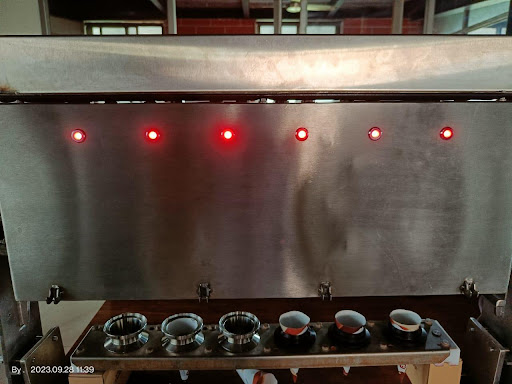
Each outfeed station uses three cameras to capture different carton faces. Controlled LED lighting makes the inspected regions visible as the carton passes the station. A single view cannot show every closure region and printed field needed for the inspection.
Deep-learning image analysis helps identify the regions used for glue-gap, flap-gap and flap-alignment checks. The software evaluates those regions against the configured acceptance requirements. Character-reading software checks the printed date and batch text against the expected input entered by the operator.
The checks remain distinct: a contents check answers whether the correct packs were loaded; a closure check evaluates the finished carton; a code check evaluates the printed information. The operator can therefore identify the reason for an inspection failure.
Connecting inspection to the line
A correct image decision must also be associated with the right moving product. The inspection computer communicates with the line controller, and adjustable timing connects the inspection position to the existing rejection mechanism.
Camera triggering, image processing and rejection timing work together. Their relationship matters when assessing a similar application: the required line speed, product spacing and distance to the rejection point influence the imaging and control arrangement.
Giving operators a useful view of the process
The interface brings the selected recipe, camera images, inspection decisions and rejection reasons together. Operators can review what the system evaluated rather than relying on a single reject count.
Recipe selection keeps the inspection settings aligned with the product being packed. Saved images and reports can be filtered by product variant, inspection result, shift and time period. These records support investigation of recurring packaging problems and comparison across changeovers.
Discuss inspection for your biscuit-packaging line
Share the expected number of wrapped packs, product variants, carton dimensions and examples of unacceptable closures or printed codes. Include line speed, available camera access and the layout of the rejection point. We can assess the camera views, lighting, recognition tasks and control interfaces needed for your process.
Share expected pack counts, product variants, carton and printed-code requirements, line speed and the rejection-point layout.
Request project details